What you’ll learn
First-order discounts are one of the most common acquisition tools on Shopify — but a flat “20% off” can cost you far more than expected when a new customer adds high-ticket items to cart. This guide walks through setting up a percentage discount that’s automatically capped at a fixed dollar amount using Nex Discount.
- How to create a first-order discount with a percentage-off rule
- How to apply a dollar cap so the discount never exceeds a fixed amount
- How to verify the cap works at checkout before going live
Step 1: Install Nex Discount
- 1
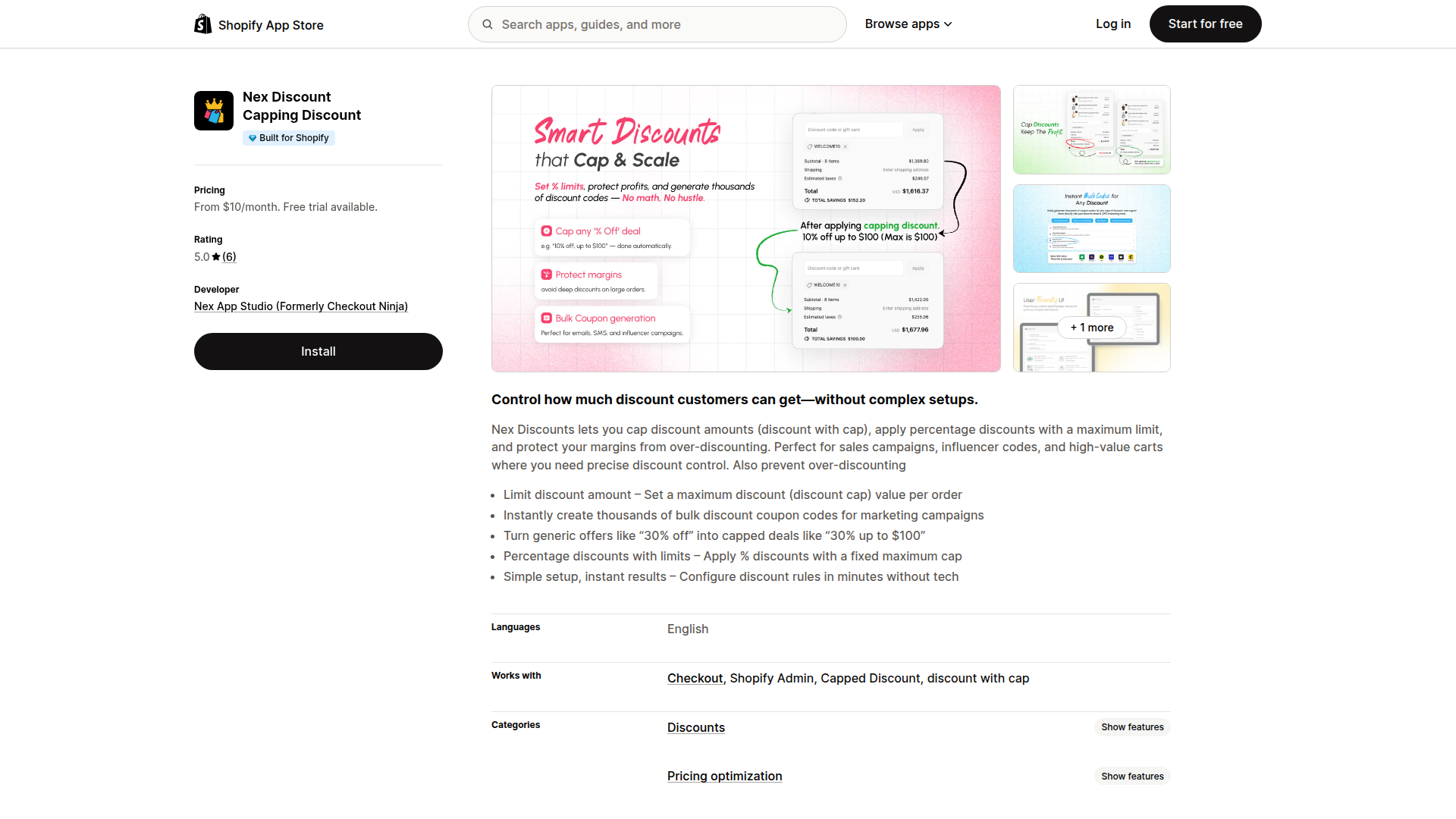
Open the Shopify App Store and search for “Nex Discount”, or go directly to the app listing.
- 2
Click “Install” and approve the permissions. The app will appear in your Shopify admin under Apps.
Step 2: Configure the discount
- 1
Open Nex Discount from your Shopify admin sidebar and create a new discount.
- 2
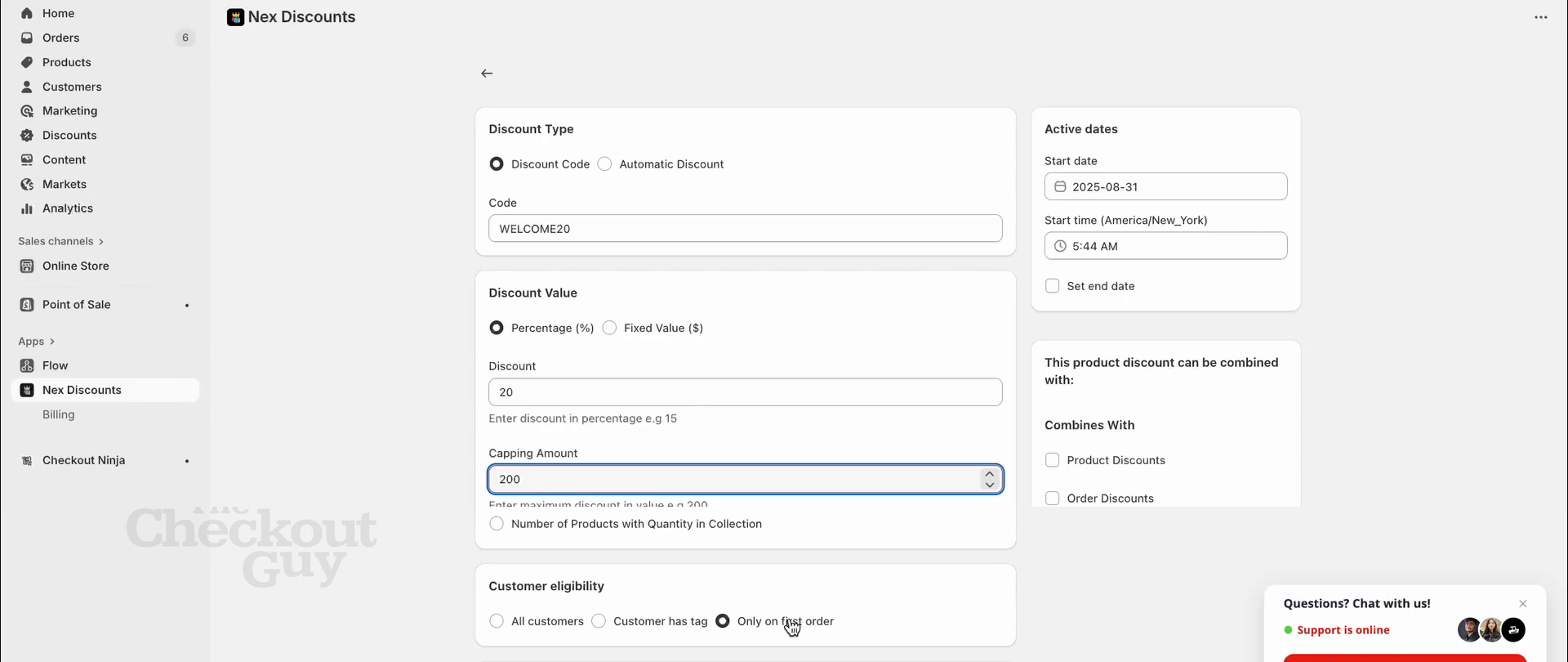
Choose “Discount Code” and enter your code (e.g. WELCOME20). Select “Percentage (%)” as the discount type and set the value to 20%.
- 3
Set the Capping Amount — in this example, 200. This is the key feature: even if a customer adds high-value items to cart, the 20% discount maxes out at ₹200 instead of growing unchecked.
- 4
Set customer eligibility to “Only on first order”, so returning buyers won’t be able to use this code.
Tip: Keep your welcome percentage between 10–20%. Higher percentages look generous but become expensive fast — that’s exactly why the cap matters.
Math check: On a ₹750 cart, 20% = ₹150 — the cap doesn’t kick in. On a ₹2,000 cart, 20% = ₹400 — the cap limits it to ₹200. That’s ₹200 saved per order on high-AOV carts.
Step 3: Test at checkout
- 1
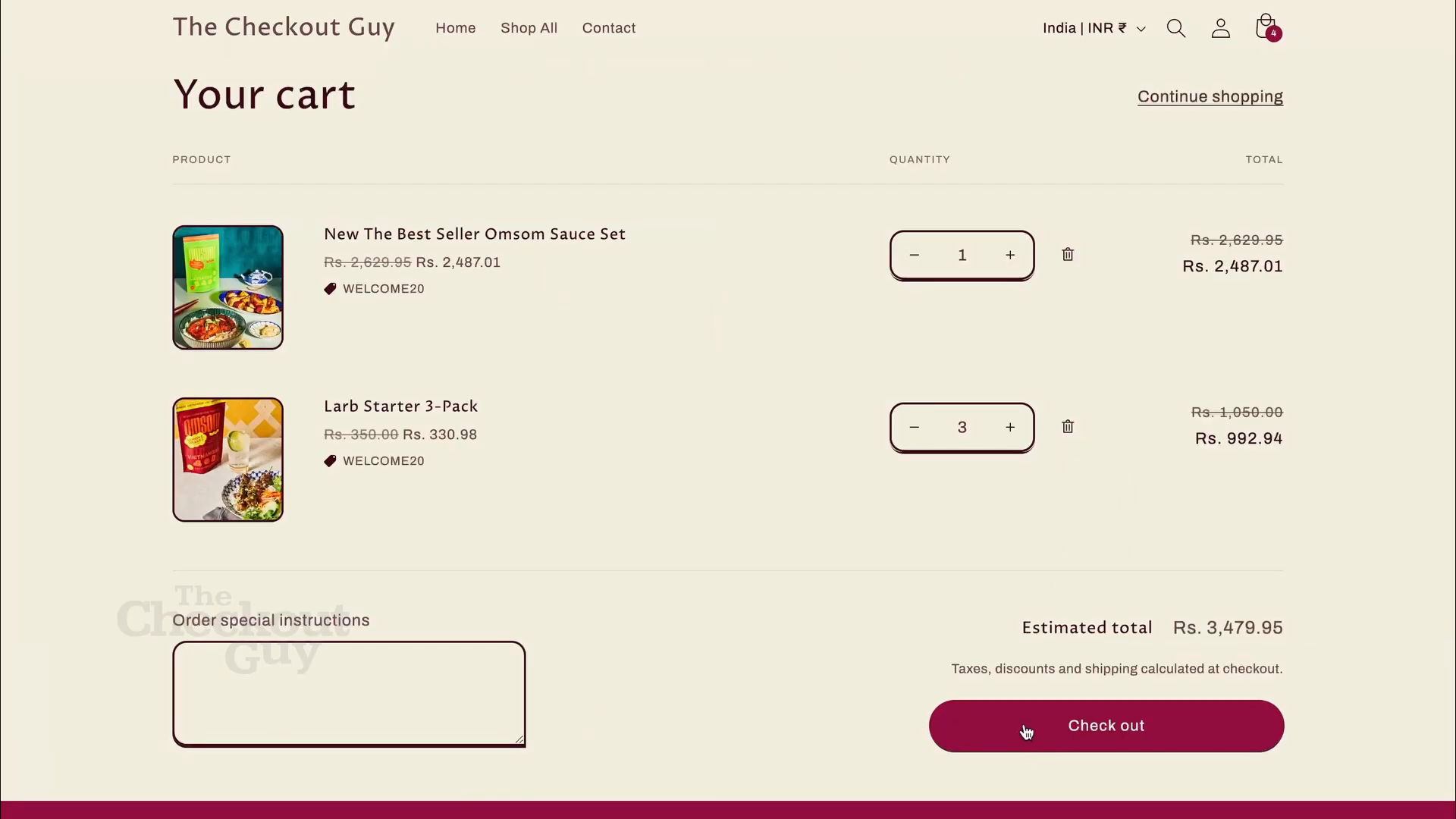
Add items to cart that push the total above the cap threshold. In the video, the cart totals ₹3,479.95 with two products.
- 2
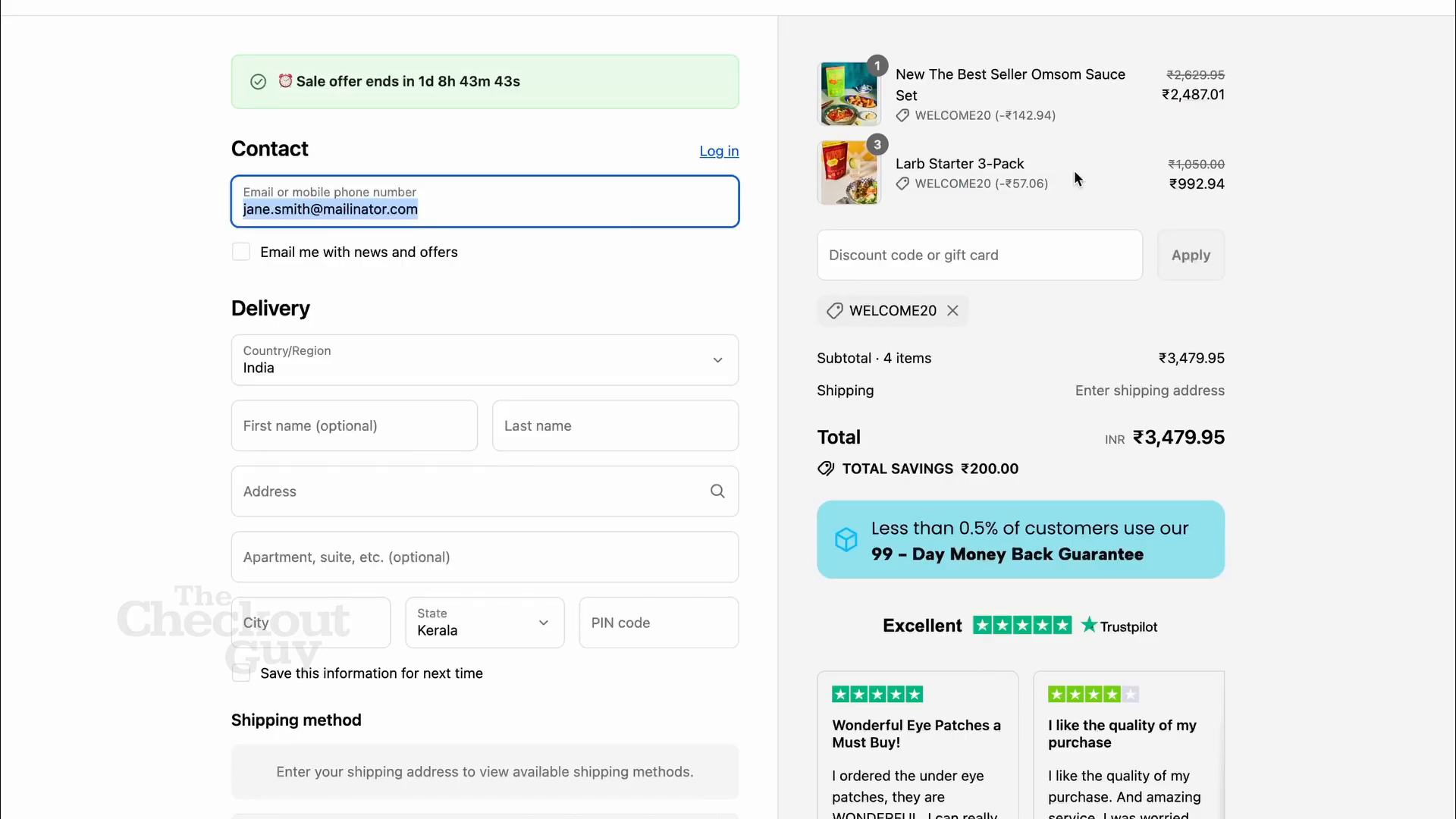
Apply the discount code (WELCOME20) at checkout and verify the discount is capped — the total savings show ₹200.00, not the uncapped 20%.
- 3
Go live once you’ve confirmed the cap works correctly at different cart values.
Summary
You’ve set up a first-order discount that gives new customers a percentage off while protecting your margins with a fixed-dollar cap. This is one of the most effective ways to run welcome offers without the risk of oversized discounts on high-value orders.